Word Clock Card
Overview
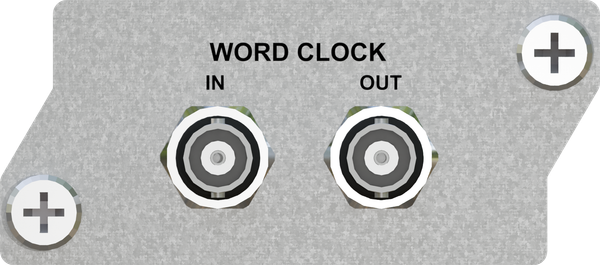
The Word Clock Card was developed for instances where multiple digital audio sources exist in one system and word clock synchronization is necessary to keep all digital audio devices in sync. An example might include a ProTools HD interface feeding our AES/EBU card with channels 1 through 14 but a microphone preamplifier with AES/EBU output is used to feed channels 15/16 as a talkback microphone into the system. In this scenario, ProTools will likely be the master clock and a word clock would connect from the ProTools HD output to the Microphone Preamp and also to the Word Clock Card.
Advantages / Features
- Works with both the Hear Back PRO Hub and the WSG Bridge
- Works in conjunction with any of the Hear Back PRO and WSG Bridge I/O cards
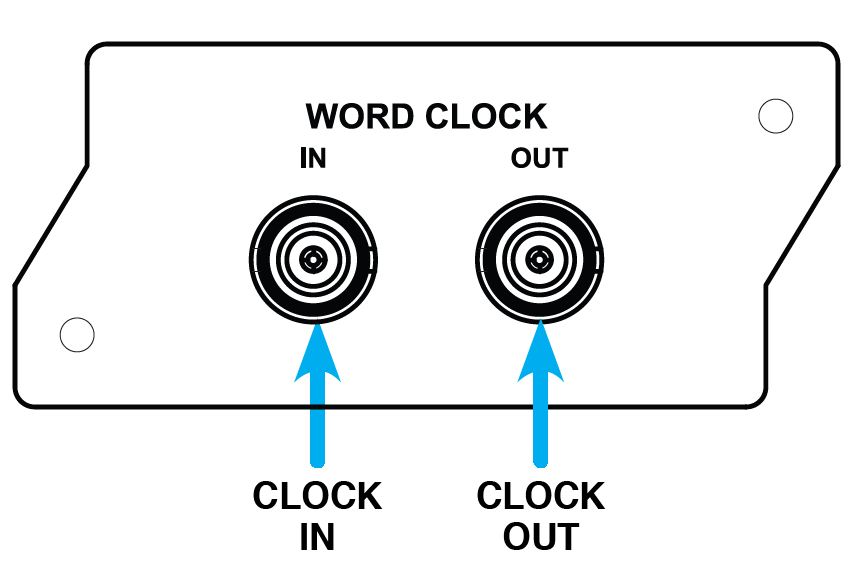
- Has both Word Clock Input and Output BNC connections
- Supports 44.1k, 48k, 88.2k, 96k, 176.4k, and 192k sampling rates
- Automatically detects sampling rate and locks onto incoming word clock with a precision PLL circuit
The Word Clock Card will work with PRO Hubs loaded with V6.0 or later. The WSG Bridge must have version 4.5 or later.
Configuration
PRO Hub
The following is applicable for V8 FW or later with PRO Connect.
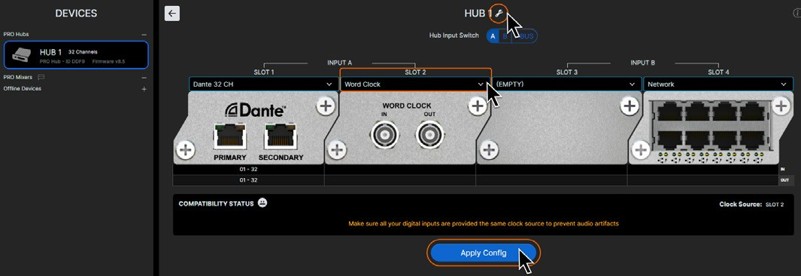
To use the Word Clock card with another I/O card, such as a Dante card in slot 1 (Input A), install the Word Clock Card into slot 2. In PRO Connect, click on the hub, then click the wrench icon in the top right corner. Use the drop-down box to select the clock card for slot 2. Click "APPLY CONFIG".
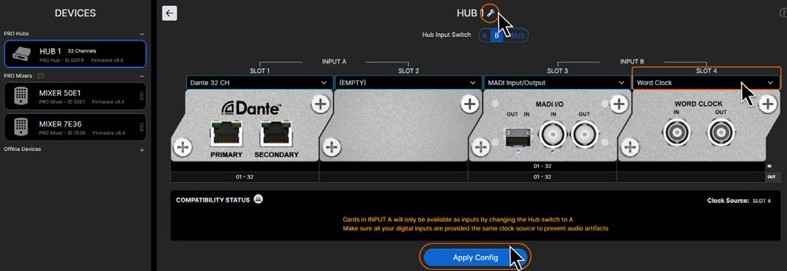
The Word Clock Card may also be placed into slot 4 if it is available and an input card is present in slot 3 (such as a Waves SoundGrid Card). Same process as above, however slot 4 would be configured in PRO Connect. Make sure you click "APPLY CONFIG".
To disable the Word Clock Card, simply simply remove it from the Hub configuration in PRO Connect.
In a multi-hub system, a Word Clock Card can only be installed in Hub 1. The card in any other Hub will be ignored.
WSG Bridge
To use the Word Clock Card with an I/O card in slot 1 (such as Dante or MADI), place the Clock Card in slot 2. Move the Clock Source Switch on the front panel to "EXT" enabling the Clock Card. To disable the Clock Card, move the Clock Source Switch to "A" or "B". To use the Clock Card with an I/O card in slot 3 (such as Waves), place the Clock Card in slot 4. Moving the Clock Source Switch to "EXT" will enable the Clock Card. Move the Clock Source Switch to "A" or "B" to disable it.
Technical Specifications
Word Clock Input
Impedance:
75 ohms
Capacitance:
4.5 pF
Voltage:
2 to 5.5 volts
Frequency:
44.1kHz, 48kHz, 88.2kHz, 96kHz, 176.4kHz, 192kHz
Word Clock Output
Impedance:
75 ohms
Capacitance:
5.5 pF
Voltage:
3.3 volts
Frequency:
44.1kHz, 48kHz, 88.2kHz, 96kHz, 176.4kHz, 192kHz