Network Card
Overview
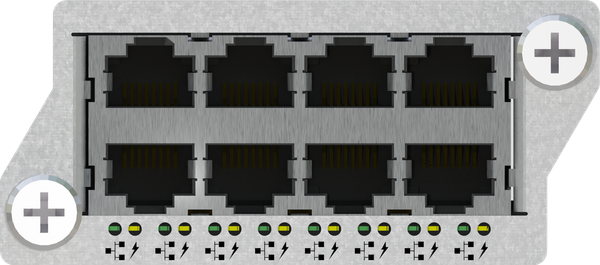
Provides (8) RJ45 Ethernet ports for connecting Hear Back PRO Mixers, PRO Mixer Distros, or other Hear Back PRO Hubs. Each port provides Power over Ethernet Plus (PoE+) power and digital audio over a single CAT6 Ethernet cable that can be run up to 566 feet. Up to (4) Network Cards can be populated per single PRO Hub. Also available as "stand alone" in the PRO Mixer Distro (PRONET).
Advantages / Features
- Each port provides PoE+ power and digital audio over a single CAT6 Ethernet cable that can be run up to 566 feet
- Up to (4) Network Cards can be populated per PRO Hub
- Supports 10Base-T, 100Base-T, 1,000Base-T
- Isolate Mode allows Network Card to function as a stand alone network switch. Not connected to the Mixer network, it can be used for Dante, Waves SoundGrid, or any other Ethernet applications while populated in the Hub.
- Also available as "stand alone" in the PRO Mixer Distro
Pin-outs
The network card's RJ45 pin-outs are the same as standard gigabit Ethernet RJ45 pin-outs, as shown below:
| Pin | Pair | Description | Suggested Termination Color Scheme (568B***) |
|---|---|---|---|
| 1 | A+ | Power over Ethernet (PoE) 48V** | White/Orange |
| 2 | A- | Power over Ethernet (PoE) 48V** | Orange |
| 3 | B+ | Power over Ethernet (PoE) GND** | White/Green |
| 4 | C+ | Blue | |
| 5 | C- | White/Blue | |
| 6 | B- | Power over Ethernet (PoE) GND** | Green |
| 7 | D+ | White/Brown | |
| 8 | D- | Brown |
**Gigabit PoE uses a transformer on the data pairs to allow power and data to share the same pairs similar to how phantom power works on microphones.
***Color Scheme 568A is also acceptable, but do not crossover from 568A to 568B.
Each Mixer output on the network card has a power supervisor circuit that will only power the port if a valid PoE device is detected. In the event of a shorted cable or broken Mixer, the power supervisor circuit will disconnect the load, permitting other Mixers to function while protecting the power supply from the faulty output.
Although the PRO system is based in Gigabit Ethernet (T1000), the Network card is capable of handling base T10, T100, and T1000. This is especially important for use in a PRONET as a stand-alone network swtich.
The Network card requires firmware version 1.4 to be used a network switch in the PRONET.
Installation
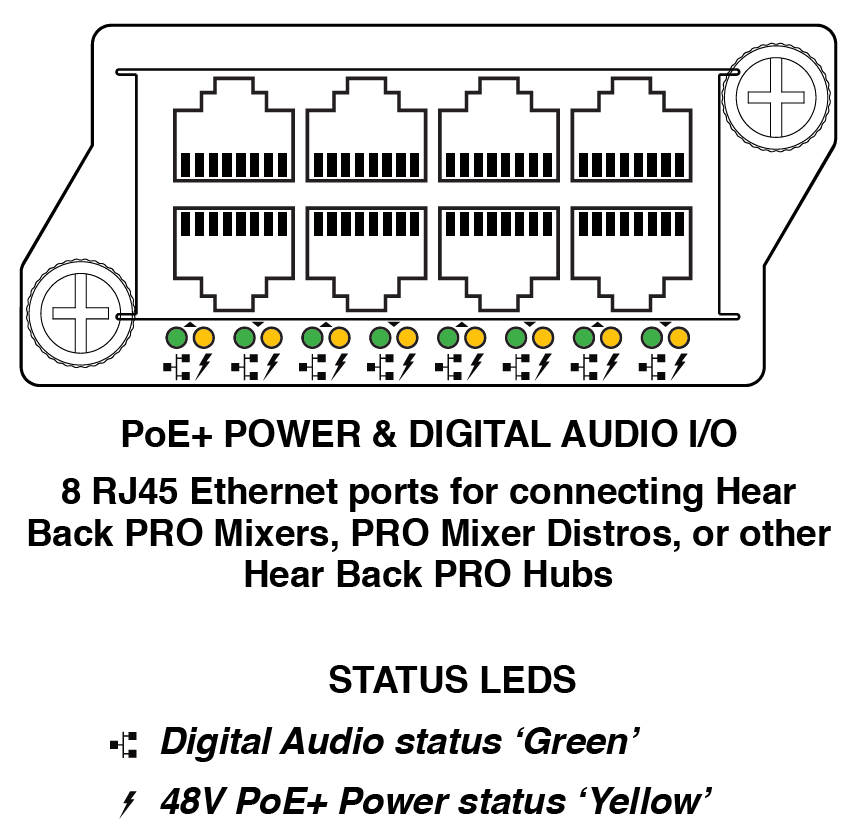
A Network Card must first be inserted into the Hear Back PRO Hub's card slot 3 or 4 to transmit power, ground, and audio to PRO Mixers via standard CAT6 cables. Each network card can support use of up to eight Mixers simultaneously. Additional Mixers can be used by inserting a second, third, or even fourth network card into card slots 3, 2, and 1, respectively. However, to power more than two network cards (or more than 16 Mixers), an additional power supply is required.
The first two network cards in slots 3 and 4 will receive power if a power supply is present in either power port; the second two network cards in slots 1 and 2 will only receive power if a power supply is present in both power ports. Additionally, a second power supply serves as redundant power to slots 3 and 4 in the case that one power supply were to fail. A yellow LED under each power port indicates the presence of 48 volts, even when the Hub is powered off.
Technical Specifications
Power:
48 VDC PoE @ 30 watts
Auto-crossover:
Enabled on every port
Energy Efficient Ethernet (EEE):
Disabled